

DarenDapp-NFT position discount setting tutorial
2022-12-29 22:19

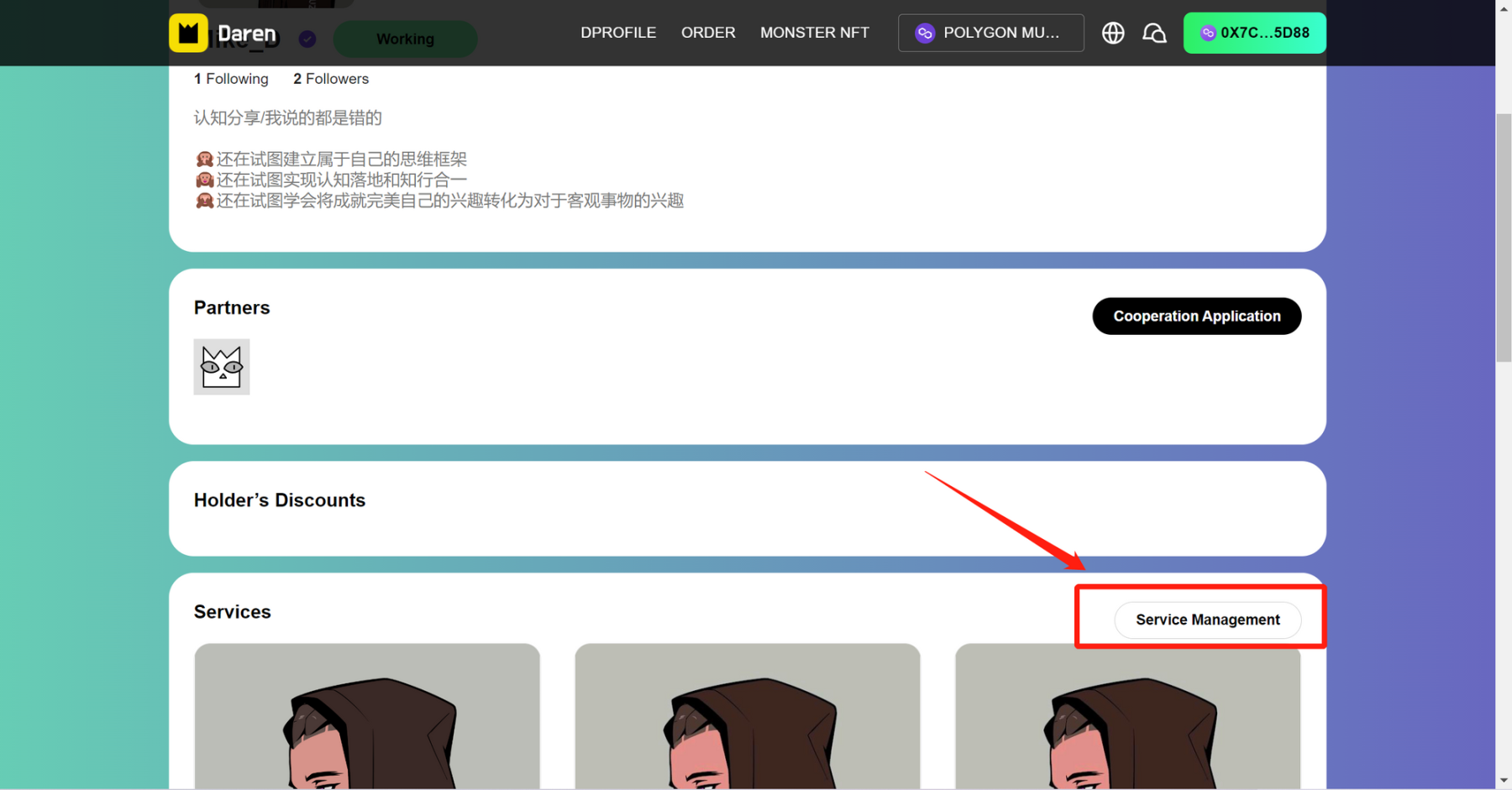
1.Go to the Add Service page:Click My Store→scroll→click Service Management→click Add Service
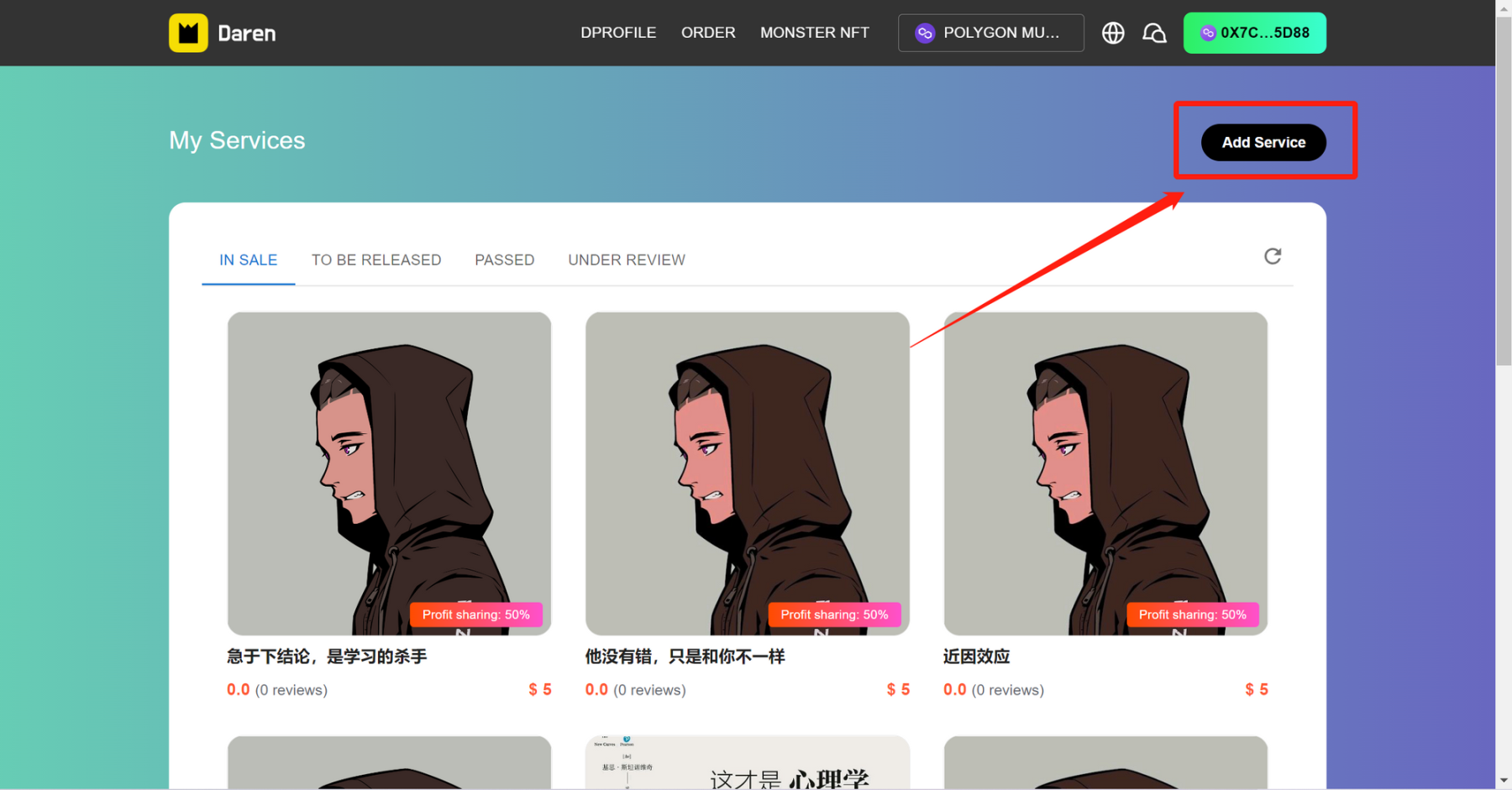
2.On the service add information filling page, click the drop-down box of + Add NFT
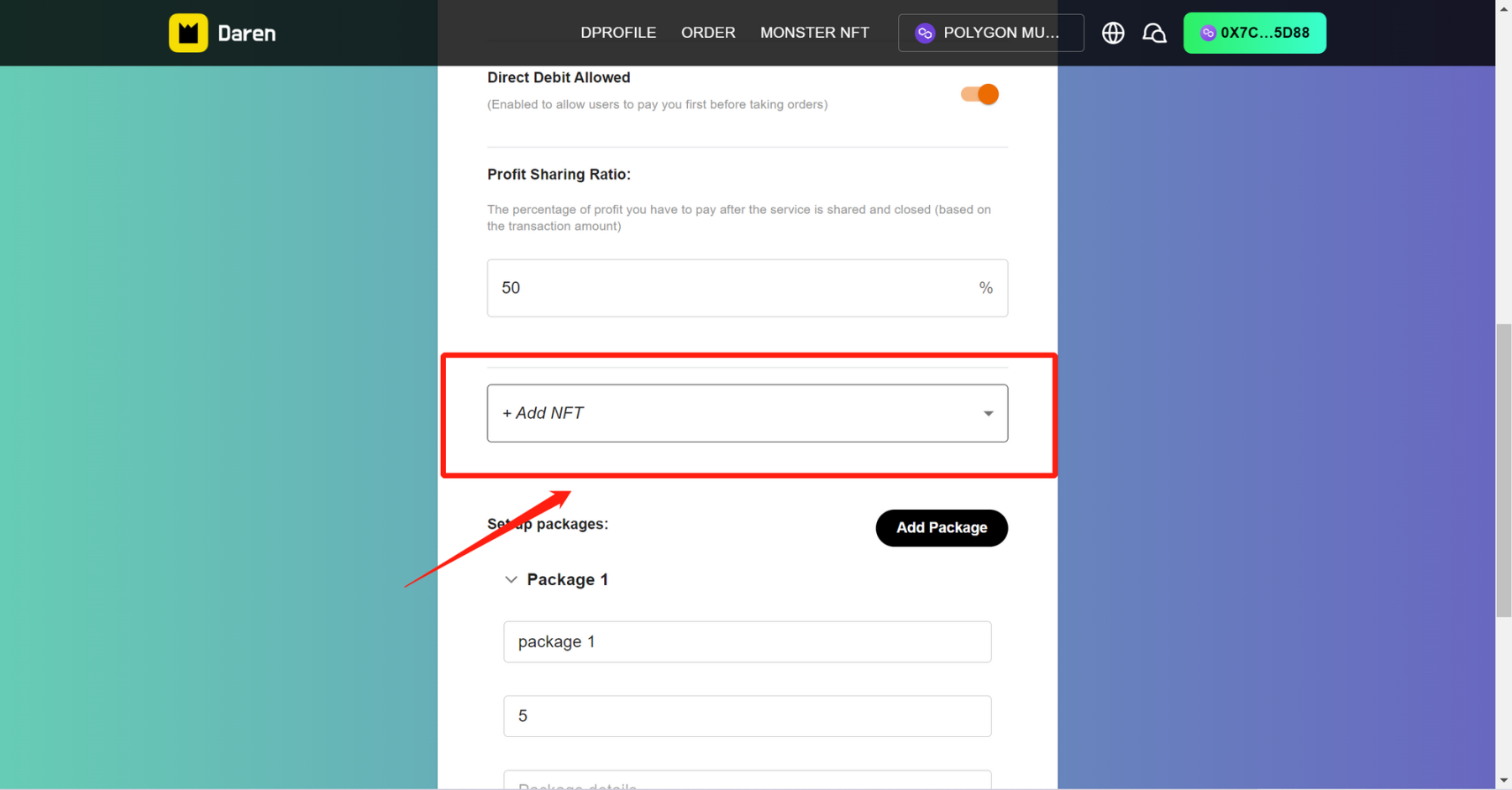
3.Select the corresponding NFT category, you can select multiple here
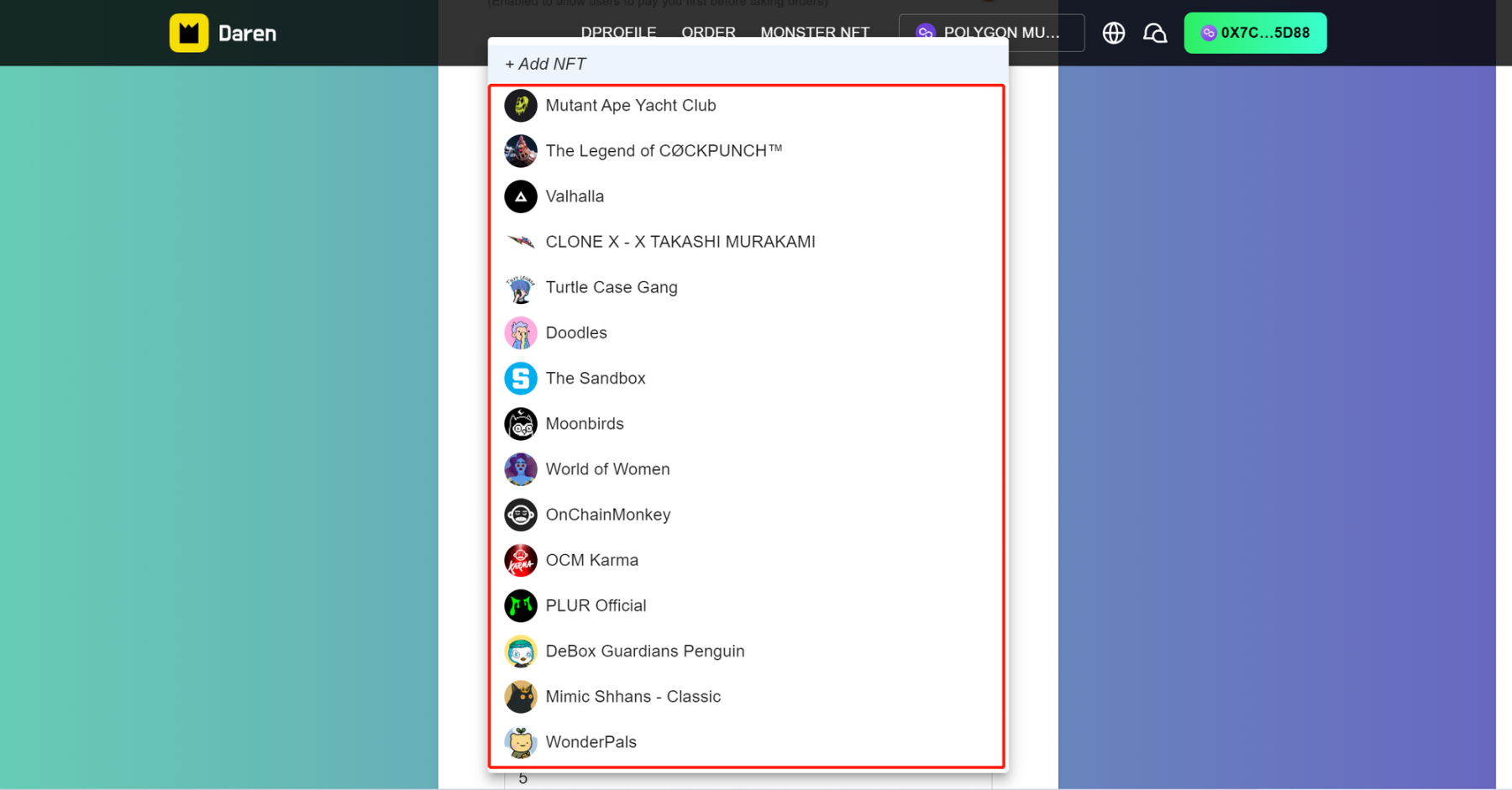
4.Select the appropriate NFT to set the discount
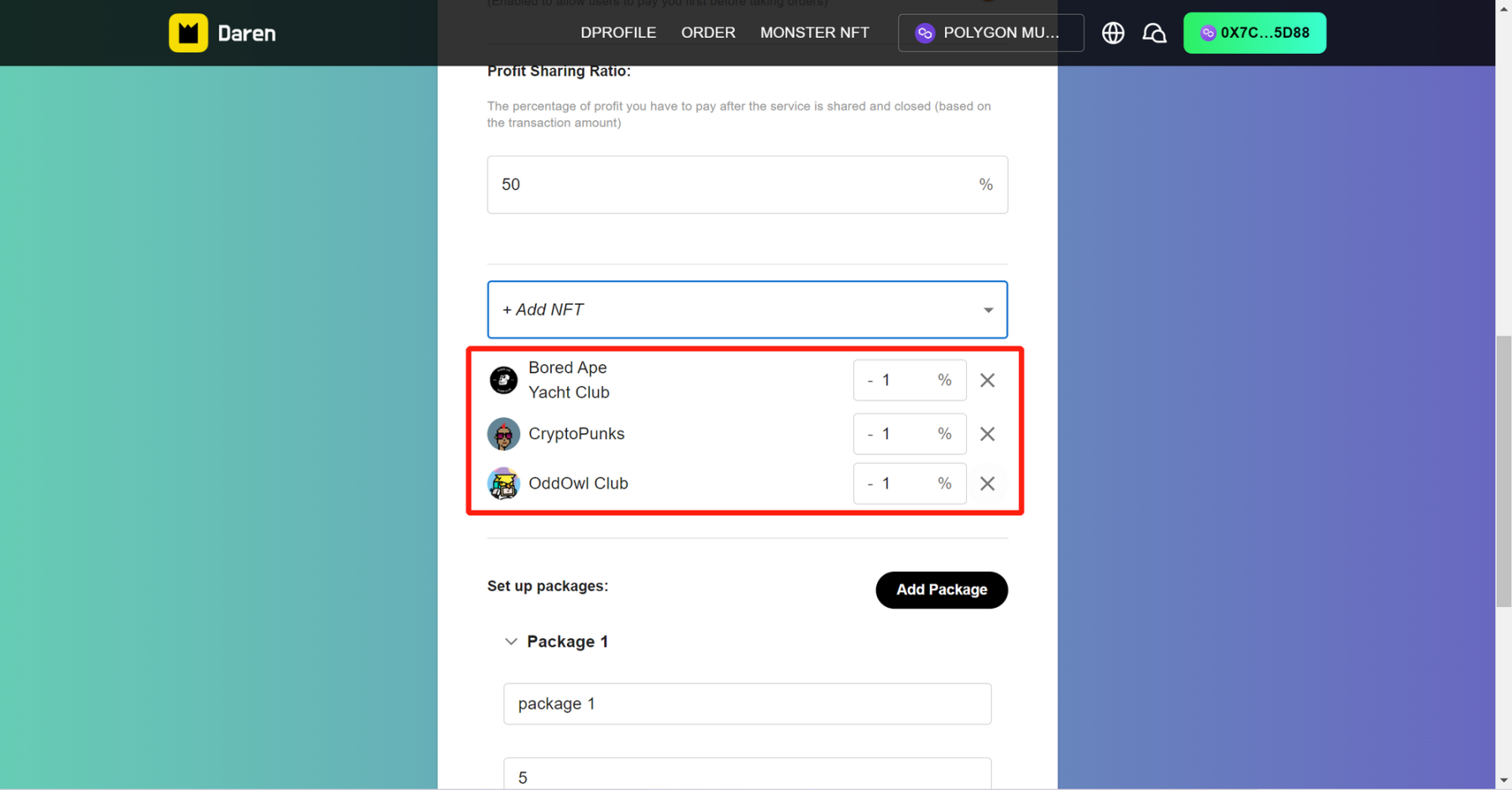
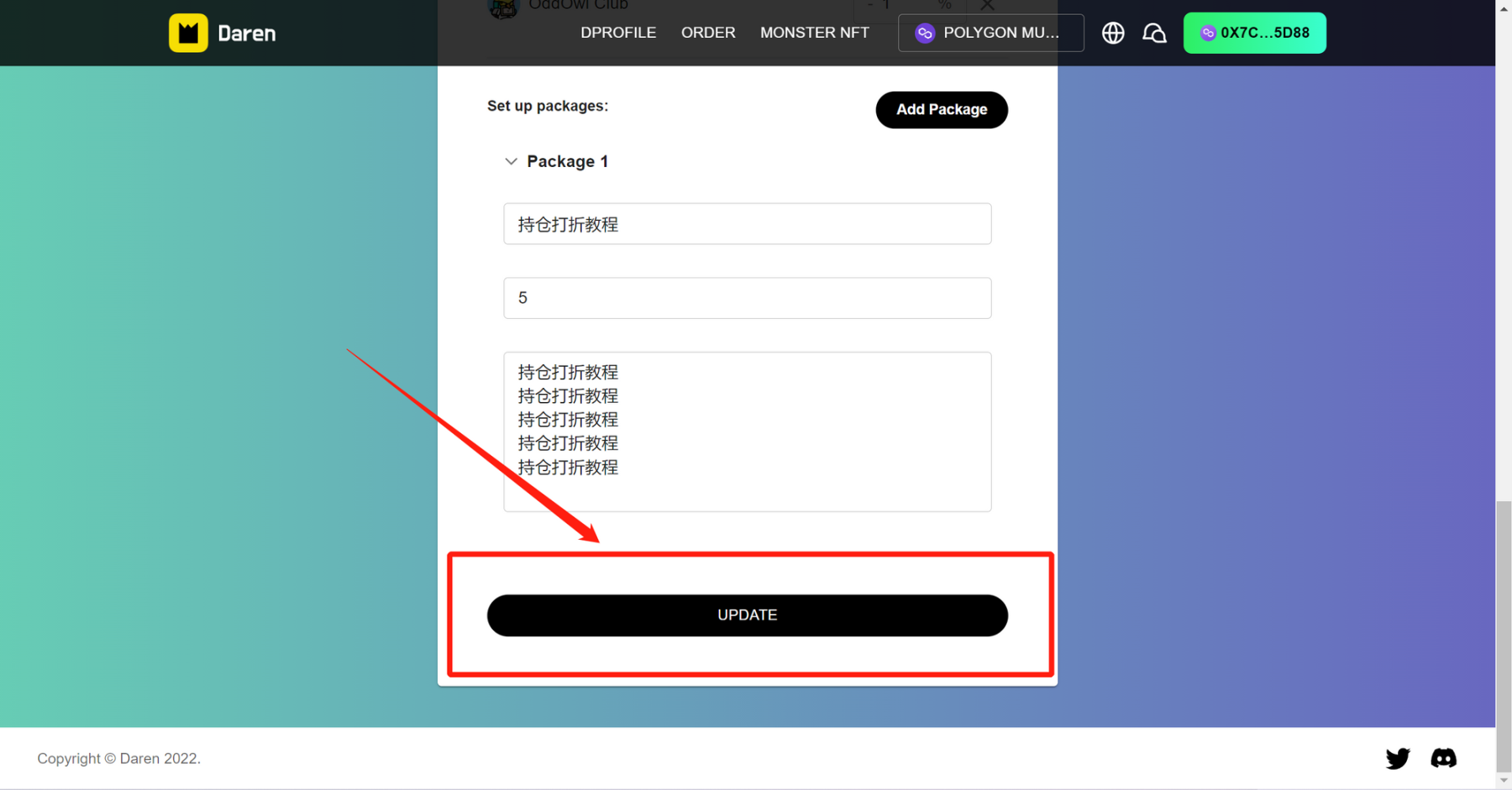
5.After the settings are complete, click SUBMIT to finish
来源链接
【免责声明】市场有风险,投资需谨慎。本文不构成投资建议,用户应考虑本文中的任何意见、观点或结论是否符合其特定状况。据此投资,责任自负。

在 App 打开