

DarenDapp- Listed service editing tutorial
2023-01-06 14:01

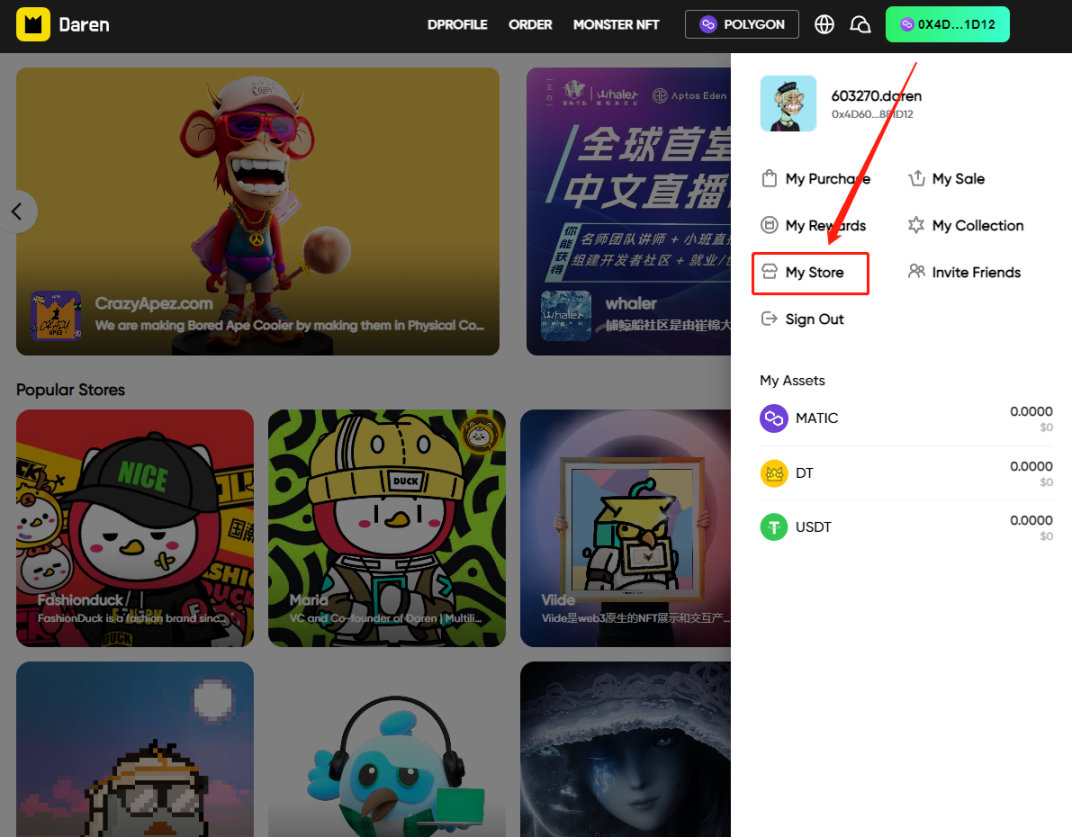
- Enter your store:
a. Approach 1: Click on”DPROFILE”

b. Approach 2: Click on the address button on the upper right corner → Select “**My Store**”
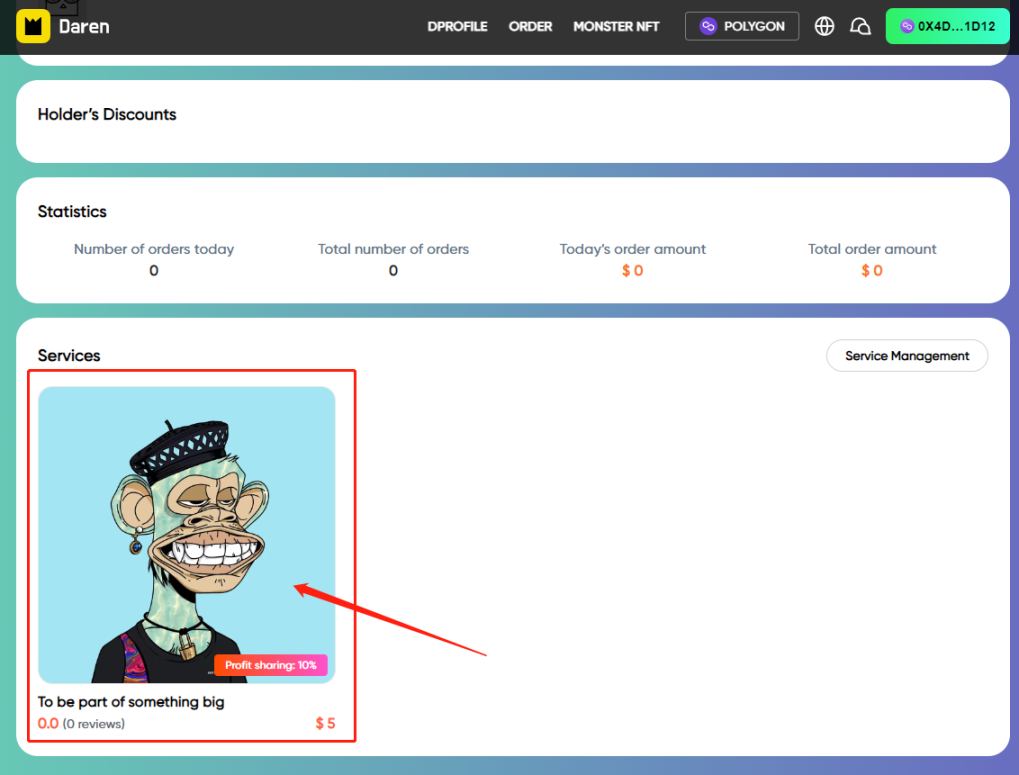
2.Select the service that need to be edit:Scroll down and find “Services” sector→ Click on the icon of the service
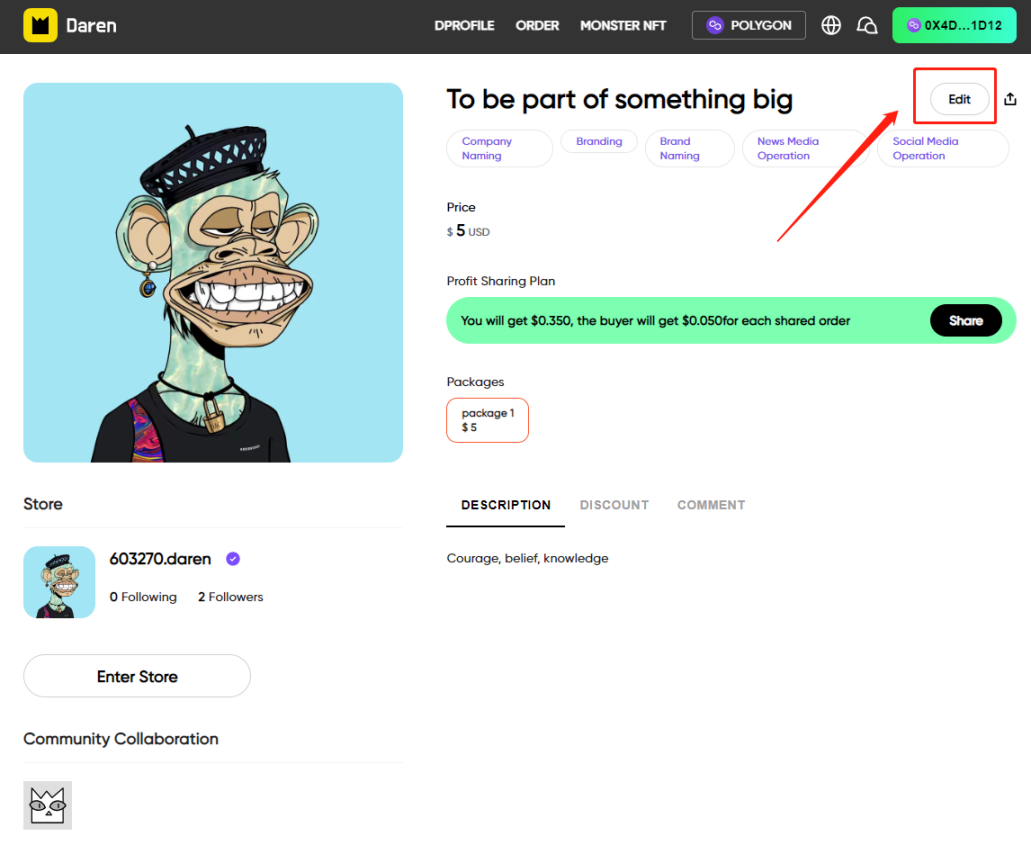
3.Enter the editing page:Click on “Edit” button on the upper right corner
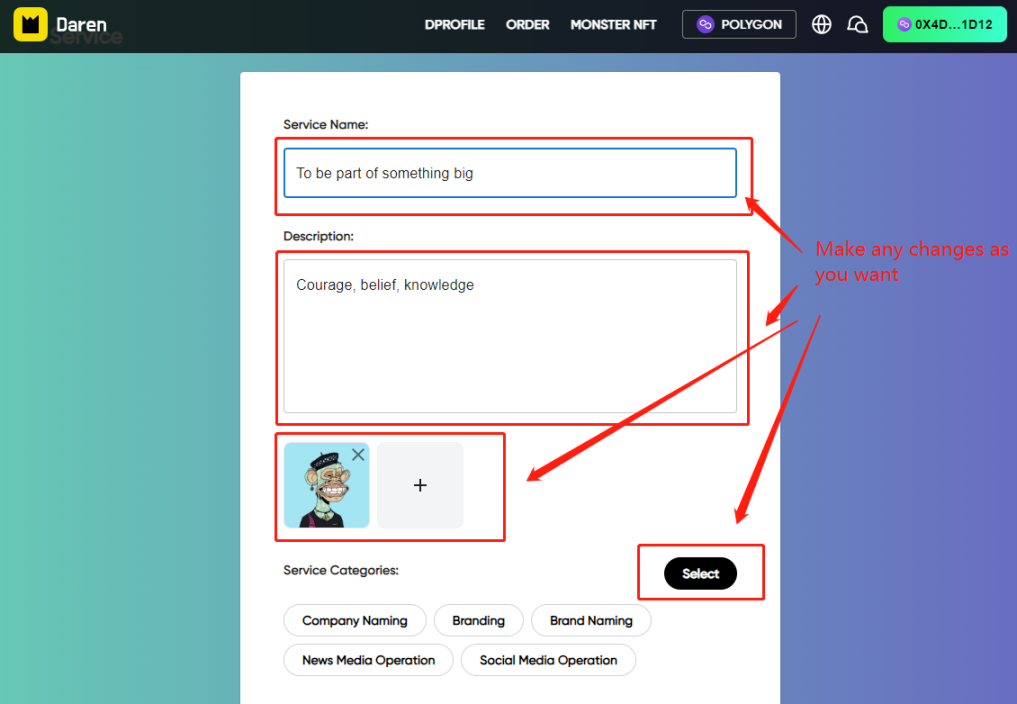
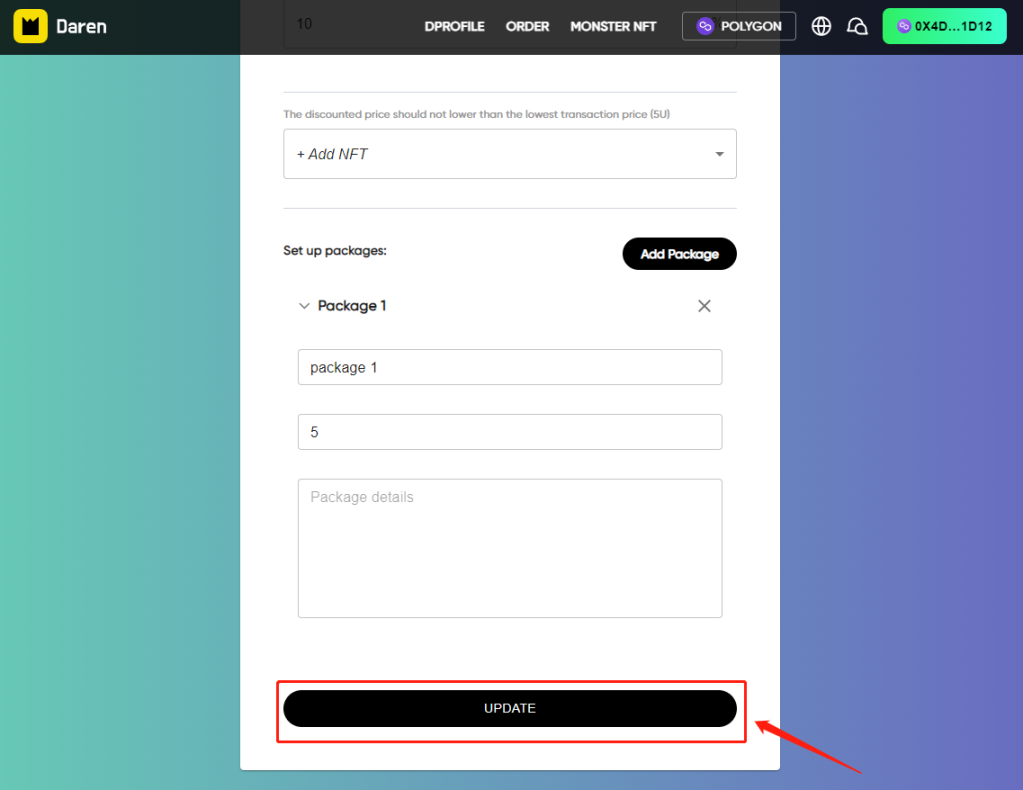
4.Edit or modify service info: Click on the information you want to modify to edit → Click on “UPDATE” button, your adjustments are set
来源链接
【免责声明】市场有风险,投资需谨慎。本文不构成投资建议,用户应考虑本文中的任何意见、观点或结论是否符合其特定状况。据此投资,责任自负。

在 App 打开